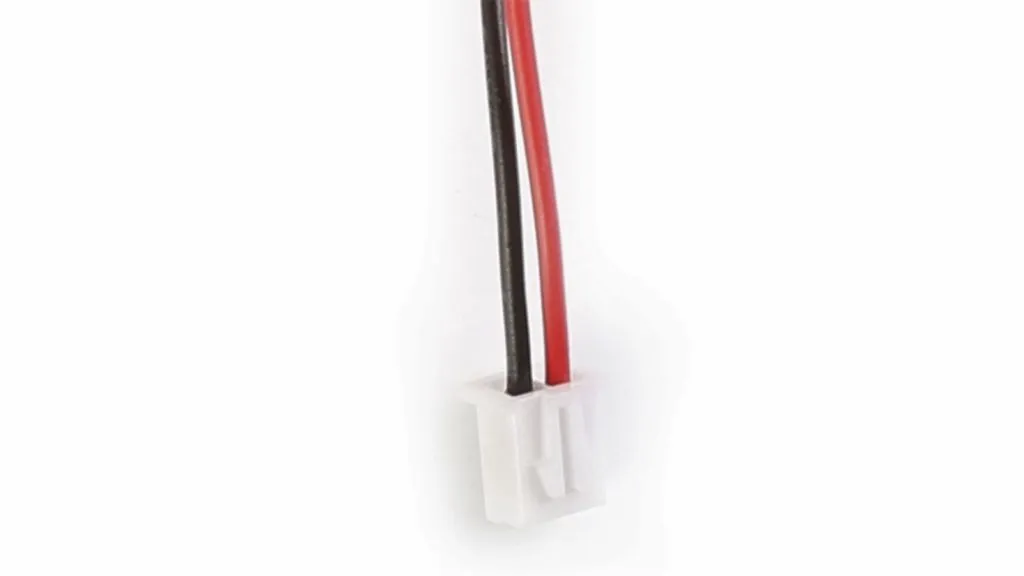
Tevo Tarantula 24V Upgrade: What You Need
Upgrading your Tevo Tarantula to 24V can significantly enhance its performance, allowing for faster heating times, increased printing speeds, and improved overall print quality. This guide provides a comprehensive, step-by-step approach to successfully upgrading your Tevo Tarantula. Before embarking on this project, it is essential to gather all the necessary components and understand the basic principles involved. This upgrade involves replacing several key components to support the higher voltage. This includes a new power supply, a compatible heated bed, and often, a new motherboard or modifications to the existing one to ensure safety and functionality. Remember safety first, and carefully disconnect the printer from the power source before beginning any modifications.
Choosing the Right 24V Power Supply
Selecting the correct 24V power supply is arguably the most critical step in this upgrade. The power supply must provide sufficient current to drive all the components, including the heated bed, hotend, and motors. Consider the wattage requirements of all these components and choose a power supply with a higher wattage rating for future upgrades or headroom. A power supply with at least 300W is generally recommended. Ensure the power supply has the necessary safety features, such as over-current protection and short-circuit protection. Look for power supplies specifically designed for 3D printers, as these often have features that simplify the installation process. The power supply should also have the correct connectors for your motherboard and heated bed. Always check the specifications and reviews to ensure you are selecting a reliable product. The image tevo-tarantula-24v-upgrade-power-supply.webp shows one of the best power supply options for this upgrade.
Selecting a 24V Heated Bed

The heated bed is another crucial component to upgrade. The original 12V heated bed will not function correctly with a 24V power supply. A 24V heated bed will heat up much faster, leading to reduced wait times and potentially improved print adhesion. Consider the size of your current heated bed and choose a 24V replacement with the same dimensions. If you are looking for an upgrade, this is a great time to consider a larger bed. Also, make sure that the heated bed you choose is compatible with your printer’s firmware. The heated bed should be rated for the temperature you typically print at. Before purchasing, examine reviews of the heated bed to guarantee it heats evenly and maintains temperature stability. The image tevo-tarantula-24v-upgrade-heated-bed.webp shows some of the best options available, also consider a silicone heater for optimal heating performance.
Choosing 24V Motherboard
While the original Tevo Tarantula motherboard can often be modified for 24V operation, replacing it with a 24V-compatible motherboard is a straightforward solution. This eliminates the need for modifications and ensures compatibility with all components. A 24V-compatible motherboard simplifies wiring and ensures safety. Look for motherboards designed for 3D printers, as these will have features like MOSFETs (Metal-Oxide-Semiconductor Field-Effect Transistors) for controlling the heated bed and hotend, and integrated stepper motor drivers. Consider a board with features like auto bed leveling (ABL) and silent stepper motor drivers to improve print quality. If you prefer to modify your existing motherboard, research the specific modifications needed for your model. However, a new motherboard will provide better performance. The image tevo-tarantula-24v-upgrade-motherboard.webp shows one of the best 24V motherboards for this upgrade.
Tevo Tarantula 24V Upgrade: Step-by-Step Guide
With the necessary components gathered, you can now begin the upgrade process. Following a structured approach will ensure a safe and successful upgrade. This step-by-step guide provides a comprehensive overview of the process. Remember that all electrical work requires careful attention to detail and safety precautions. Before starting, double-check that the printer is unplugged from the power source. Take pictures of the existing wiring before disconnecting any components to serve as a reference during reassembly. Work in a well-lit area to facilitate easy identification of components and wiring. This entire process is designed to make the upgrade as simple as possible, with emphasis on clarity and safety. If you are unsure about any steps, consult online resources or seek help from experienced 3D printer enthusiasts.
Preparing Your Tevo Tarantula

Begin by disconnecting the printer from the power source. Remove the existing 12V power supply and heated bed. Carefully disconnect all wires connected to the power supply and the heated bed, making sure to label each wire or take pictures before disconnecting. Remove any existing wiring harnesses that will be replaced. If you are replacing the motherboard, disconnect all the wires connected to it, including those for the motors, endstops, and display. Secure your printer and make sure you have plenty of workspace for the upcoming changes. This step is about safely disassembling the existing components without damaging anything, which ensures that everything is working when you’re done and gives you a clean slate for the upgrade process.
Installing the 24V Power Supply
Mount the new 24V power supply in the same location as the original, if possible. Secure the power supply firmly to the printer frame. Connect the AC input wires to the power supply, ensuring proper polarity (L, N, and Earth). Be extremely careful when handling mains voltage. Connect the 24V output wires to the appropriate terminals on the power supply. Consult the power supply’s documentation for the correct wiring configuration. Ensure all connections are secure to prevent short circuits and ensure proper operation. This setup is crucial because it provides all the power needed for the rest of the system to operate at its peak.
Motherboard Connections
If you are using a new motherboard, install it into the printer. Connect all the necessary wires to the motherboard, including the power supply input, stepper motor drivers, endstops, hotend, and heated bed. Carefully follow the wiring diagram for your specific motherboard model. Ensure that all wires are correctly connected and securely fastened. Use the pictures you took earlier as a reference. The image tevo-tarantula-wiring-diagram.webp illustrates a typical wiring setup. Double-check the connections to avoid any wiring errors, which may lead to damage or malfunction. If you are modifying your existing motherboard, carefully follow the specific instructions for your model. Double check the polarity of all connections, especially for the motors and endstops, as incorrect wiring can cause damage.
Heated Bed Installation

Mount the 24V heated bed to the printer frame, ensuring it is level. Connect the 24V power wires from the power supply or motherboard to the heated bed terminals. Verify that the wiring connections are secure and that the bed is properly grounded. Ensure that the thermistor is securely attached to the heated bed to accurately measure the temperature. Double-check that the heated bed is securely mounted and that the wiring is tidy and properly routed to prevent interference with moving parts. Ensure the bed moves smoothly along its axis after installing the new bed. Properly securing the heated bed and all its connections is essential for optimal performance and safety.
Wiring and Safety Precautions
Proper wiring is crucial for the safe and efficient operation of your 3D printer. Always disconnect the printer from the power source before working with any electrical components. Double-check all connections to ensure they are secure. Use appropriate wire gauge for the current requirements of each component. Route wires neatly to prevent them from interfering with moving parts. Avoid any loose wires or exposed electrical connections. Verify the wiring using the wiring diagram for your specific components. Using correct wiring techniques and carefully following safety procedures is essential to prevent short circuits and ensure the printer’s safety. This will also help to prevent potential damage to the components.
Firmware and Configuration for 24V
The firmware is essential for controlling all the printer’s functions. Before flashing the firmware, download the correct firmware for your motherboard model. If you are using a new motherboard, you may need to install the firmware from the manufacturer. Most 3D printers use Marlin firmware. Use the Arduino IDE to flash the firmware to your motherboard. Remember to select the correct board and port. Configure the firmware for 24V operation, including the heated bed and thermistor settings. After flashing the firmware, upload it to the printer’s board. Consult the instructions that came with your motherboard for instructions. The image tevo-tarantula-24v-upgrade-firmware.webp showcases the firmware settings for a 24V upgrade.
Flashing the Firmware

To flash the firmware, connect your 3D printer’s motherboard to your computer via USB. Open the Arduino IDE and select the correct board and port from the menu. Open the firmware configuration file. Make the necessary changes to the configuration settings, such as the heated bed type and thermistor type. Upload the firmware to the board and confirm the process is complete. If errors occur during the upload, verify your setup and settings. Ensure that you have selected the correct board and COM port. Also ensure that the Arduino IDE is correctly configured for your board. Finally, verify that the drivers are correctly installed to enable communication between your computer and the printer’s board.
Configuring Bed and Thermistor Settings
Proper configuration of the heated bed and thermistor settings is critical for accurate temperature control and successful printing. In the firmware configuration file, set the correct heated bed type and thermistor type. Calibrate the PID (Proportional-Integral-Derivative) parameters for the heated bed. These parameters help the heated bed maintain a consistent temperature. Ensure the thermistor is accurately reading the temperature. Test the heated bed temperature using a separate thermometer to confirm the accuracy. Make sure the configured temperature matches the actual temperature on your heated bed. The image tevo-tarantula-24v-upgrade-calibration.webp showcases the importance of calibration.
Testing and Calibration
After completing the upgrade, thoroughly test and calibrate your printer. Heat the bed and hotend to their operating temperatures and verify they heat correctly. Perform a bed leveling to ensure the first layer adheres properly. Run a few test prints to verify print quality and make necessary adjustments. Carefully check the movements of the printer. Ensure that all axes move smoothly and precisely. If you find any issues, troubleshoot the problem systematically. Check wiring connections, and firmware settings. Fine-tuning your printer’s settings helps you to produce consistent, high-quality prints, optimizing your experience, and making it more enjoyable. The image tevo-tarantula-24v-upgrade-calibration.webp can help with your calibration.
Troubleshooting Common Issues

Encountering issues is a common part of the upgrade process. Preparing for these potential problems helps in efficient troubleshooting. Several common issues may arise during and after the upgrade, including overheating problems and power supply failures. Familiarizing yourself with these potential issues will facilitate efficient troubleshooting and enable you to address them quickly. Many online resources and forums provide useful information, offering assistance to the users. If a specific problem arises, search for solutions online and look for help from more experienced people.
Overheating Problems
Overheating can occur if the thermistor is not properly connected or if the PID settings are incorrect. Check the thermistor connection, and verify that it is securely attached to the hotend and heated bed. Adjust the PID settings to maintain stable temperature control. If the heated bed or hotend does not heat up properly, it could be a faulty heating element or a wiring issue. Test the heating element using a multimeter to check for continuity. Inspect all wiring and ensure that the connections are properly secure and the wires are not damaged. Regular maintenance and inspection can help prevent overheating issues.
Power Supply Failures
Power supply failures can cause various problems, from the printer not powering on to inconsistent heating. If the printer does not power on, verify that the power supply is receiving power. Check all connections and ensure the power cord is securely plugged in. Test the power supply output voltage using a multimeter to confirm it is delivering the correct voltage. If the power supply is damaged, it will need to be replaced. Always choose a power supply with sufficient wattage to support all the components in the system. Regular inspection of the power supply and wiring can help prevent failures. Keep a spare power supply for quick replacements.
Upgrading Your Tevo Tarantula Further

Once the 24V upgrade is complete, consider further improvements to improve your 3D printing experience. Upgrading to a direct-drive extruder will improve print quality and reduce stringing. Installing a BLTouch or other auto bed leveling system can simplify bed leveling and enhance first-layer adhesion. Adding a heated enclosure can improve print quality, particularly for ABS and other high-temperature filaments. Explore other upgrades, like new hotends for faster printing. By continuing to enhance your printer, you can steadily improve the quality and functionality of your prints. The image tevo-tarantula-completed-upgrade.webp showcases the completed upgraded version of the printer.